Redact your Word document before it reaches AI
Strip out names, emails, phone numbers, ID and card numbers from a .docx file — then hand the clean copy to ChatGPT, Claude, or anyone else. Everything happens in your browser. Your file is never uploaded.
Why “before AI” matters
The moment you paste a contract or résumé into an AI chat, that text leaves your control. CleanDoc is the step that goes before that: it removes the sensitive bits first, so the AI only ever sees a sanitised document.
It actually deletes — it doesn’t just black things out
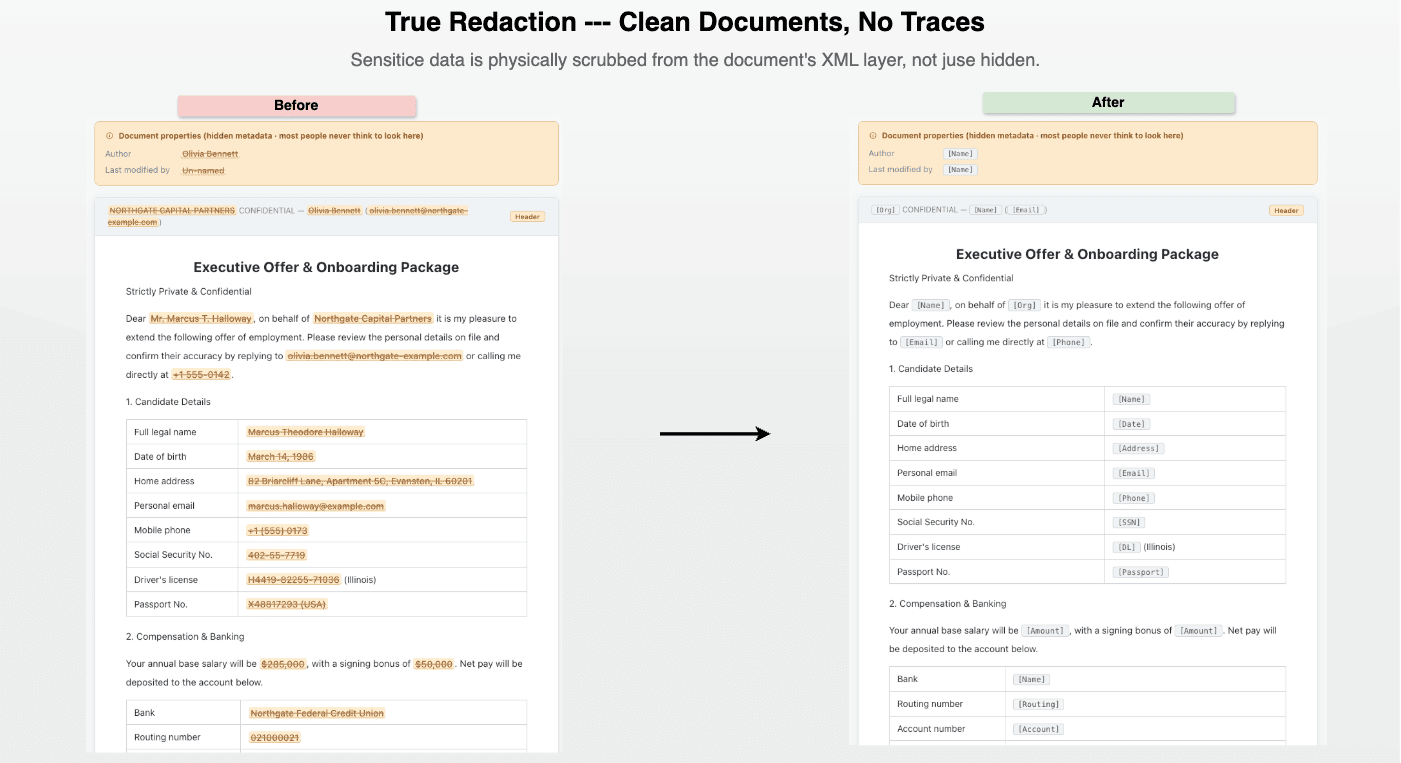
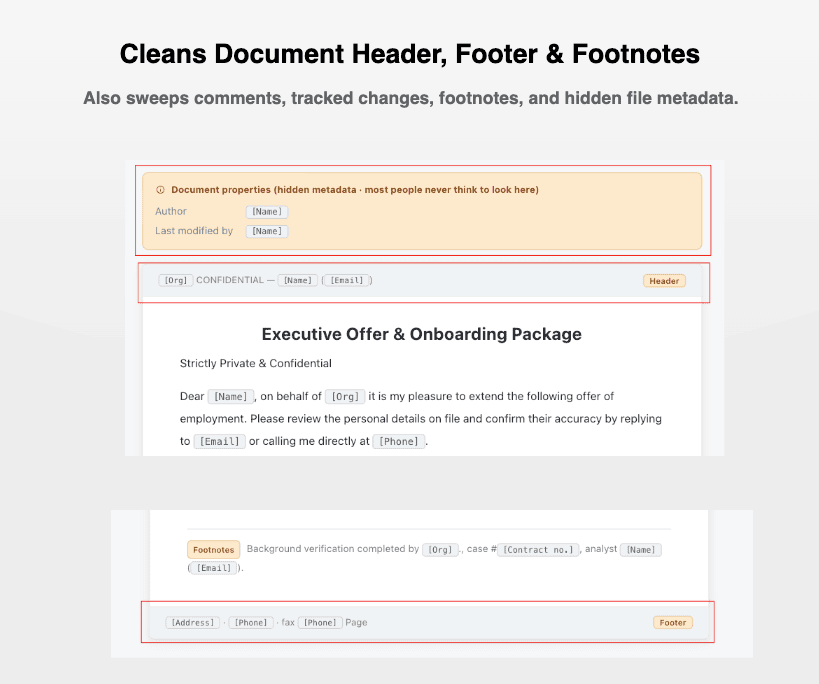
Highlighting text in black or changing the font colour only hides data; anyone can recover it. CleanDoc removes the underlying text from the file’s XML, including the parts people forget: headers, footers, comments, footnotes and document properties.
Nothing is uploaded
The redaction engine runs entirely in your browser using local rules. You can disconnect from the internet and it still works. No account, no upload, no server.
Works with the internet disconnectedWhat it catches automatically
CleanDoc ships with 30+ built-in detectors for both US and Chinese documents. The structured ones use format and checksum validation (Luhn, ABA routing, SSN area, ID check digits) to keep false positives low.
- Contact — email addresses, phone numbers (US, international and CN), postal / ZIP codes
- Government IDs — US Social Security (SSN), EIN, driver’s licence, passport numbers; Chinese resident ID, Unified Social Credit Code; licence plates
- Financial — bank card numbers, bank account numbers, ABA routing numbers, SWIFT/BIC codes, card expiry and CVV
- Technical — IP and MAC addresses
- Document fields — contract numbers and dates, order / reference IDs, monetary amounts, birth dates
- Best-effort semantic — names, company / organisation names, addresses, job titles and education details (heuristic — see below)
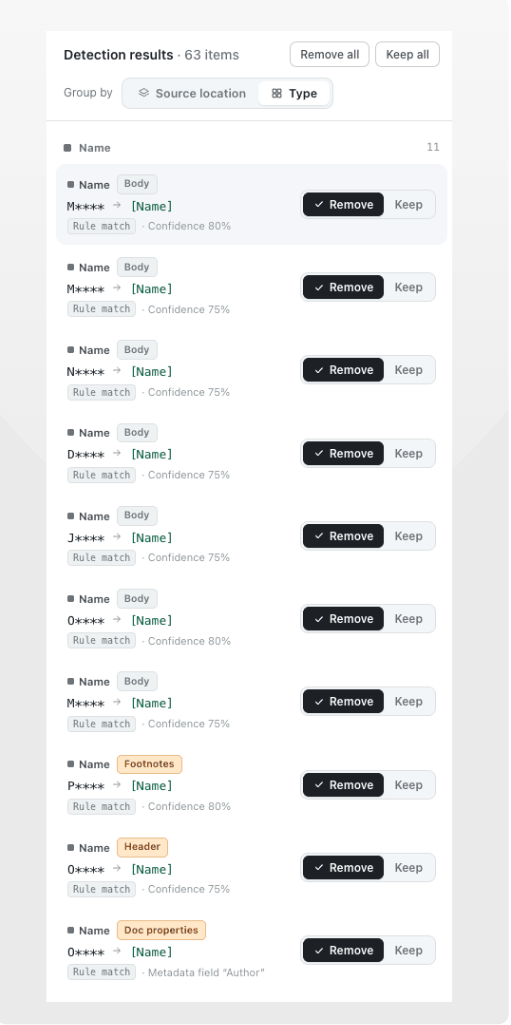
Free-form fields like names and addresses can’t be matched by format alone, so the built-in rules catch the obvious cases and you confirm the rest. That’s where manual flagging comes in.
Caught something we missed? Flag it yourself
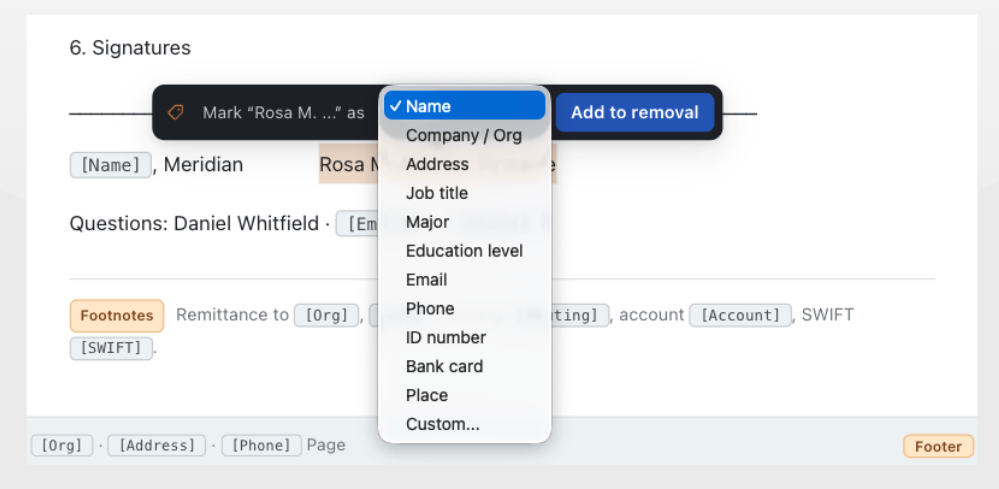
No rule set is perfect. When you spot a name, a project codename, or any phrase the automatic scan didn’t pick up, just select the text in the preview — a flag popover appears and adds it to the redaction list.
Your manual marks are deleted from the file exactly like the automatic ones: real removal at the XML level, in the body and in the headers, footers and comments too. You always have the final say over what leaves your document.
Want AI-grade automatic detection of names, full addresses and company names so you flag fewer things by hand — or an on-premise deployment for your team? See CleanDoc for Enterprise.
Common questions
Why should I trust that my file is never uploaded?
Because you can verify it yourself. The redaction engine runs entirely in your browser: load the page, disconnect from the internet, and it still works end to end. Your document is opened, scanned and rewritten on your machine — there is no server to send it to. The only network traffic this site makes is anonymous page analytics; your file and its contents never leave your device.
What about PDF files?
CleanDoc is .docx-only for now — that's a deliberate choice, because Word's XML format lets us truly delete text and then re-scan the whole file to prove nothing is left behind. If your PDF started life as a Word document, redact the original .docx and export the PDF from the clean copy. Redacting PDFs directly is on our radar, but we won't ship it until we can make the same "really gone" guarantee.
How is this different from Word's own Document Inspector?
Word's Document Inspector removes hidden data — comments, tracked changes, document properties — but it doesn't touch the visible text. It will never find the names, emails, ID numbers or account numbers sitting in the body of your document. CleanDoc does both: 30+ detectors find sensitive values in the text itself (including headers, footers, comments and footnotes), deletes them at the XML level, and then self-checks the exported file to confirm nothing recoverable remains.